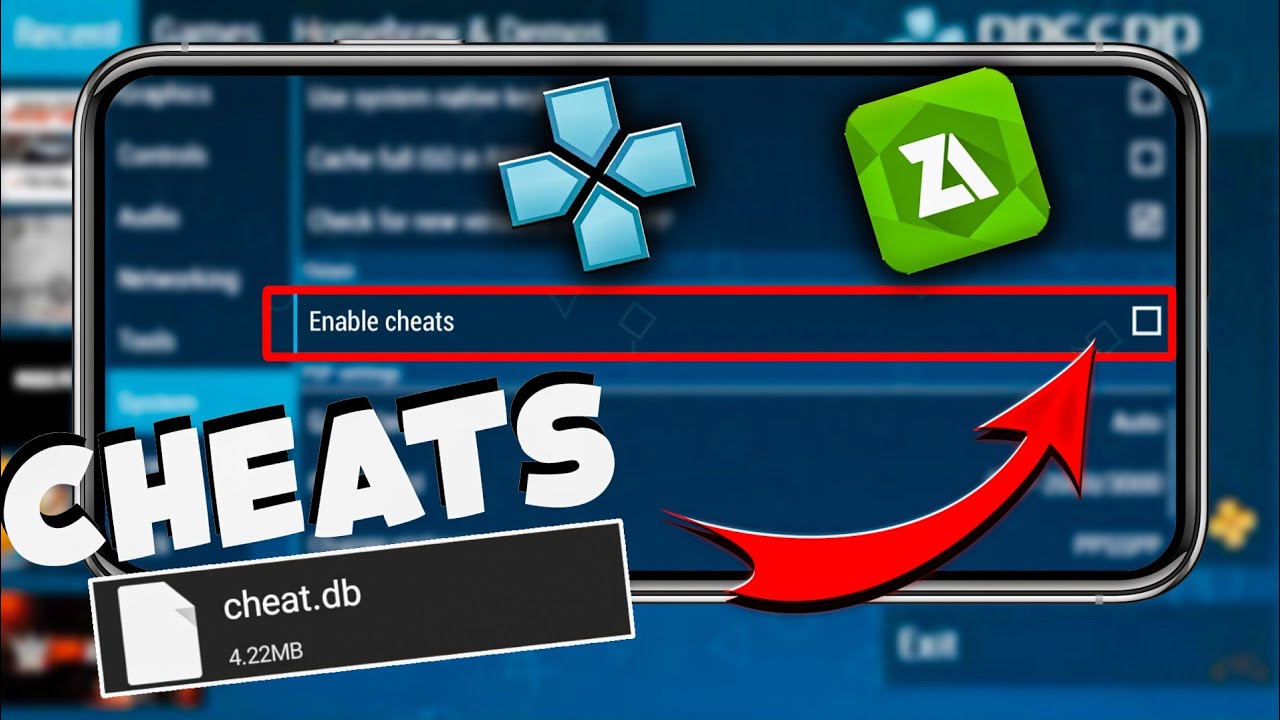
If you’re using the PPSSPP emulator to play your favorite PSP games, enabling cheats can enhance your gaming experience by unlocking hidden features, infinite health, or extra levels. To activate cheats in PPSSPP, go to Game Settings > Cheats, enable “Enable Cheats,” and then add your cheat codes manually or via a cheat file (like a .ini or .db file).
This guide will walk you through every step, from finding reliable cheat codes to troubleshooting common issues. Whether you’re a beginner or a seasoned emulator user, you’ll learn the best methods to enable cheats safely and effectively.
What Are Cheats in PPSSPP?
Cheats in PPSSPP are special codes that modify game behavior, giving you advantages like unlimited ammo, max money, or unlocking characters. These codes work similarly to Action Replay or GameShark on the original PSP.
PPSSPP supports CWCheat and TempAR formats, which are the most common types used for PSP games. Some cheats are built into the emulator, while others need to be manually added. Always ensure your cheat codes match your game’s region (USA, EUR, or JPN) for them to work correctly.
Step-by-Step Guide: How to Use the CWcheat.db File in PPSSPP for All PSP Games
Cheating in PPSSPP doesn’t have to be complicated or time-consuming. With the cheat.db file, you can unlock cheats for hundreds of PSP games in just a few minutes—no need to manually enter codes one by one!
Follow these improved steps to activate cheats in PPSSPP using a full database file:
Step 1: Download the PPSSPP Cheat Database File (cheat.db)
Before applying any cheats, you need the cheat.db file, which is a centralized database filled with pre-configured cheat codes for most PSP games.
Here’s how to get it:
- Go to a trusted website like CWCheats or similar cheat repositories.
- Look for the PPSSPP cheat database or CWCheat cheat.db file.
- Download the ZIP file that contains the cwcheat.db.
- Extract the ZIP file using tools like WinRAR or 7-Zip to a known location on your computer (e.g., Desktop or Downloads folder).
- Inside the extracted folder, locate the
cheat.dbfile—this is the file you’ll be using.
Step 2: Locate and Access the PPSSPP Cheats Folder
Now that you have the cheat.db file, you’ll need to move it into PPSSPP’s designated Cheats folder so the emulator can detect and use it.
Here’s how:
- Open File Explorer and navigate to:
C:\Users\[YourUsername]\Documents\PPSSPP\PSP - Inside the PSP folder, look for a folder named Cheats.
- Don’t see one? No worries—just create a new folder and name it exactly:
Cheats
- Don’t see one? No worries—just create a new folder and name it exactly:
- Now, drag and drop the
cheat.dbfile from your extracted folder into the Cheats folder.
Congrats! All the cheat codes from the cheat.db are now available to PPSSPP.
Step 3: Enable Cheats Inside PPSSPP Emulator Settings
Even though the cheat database is now in place, cheats won’t work unless you turn the feature on from the settings menu.
Here’s what to do:
- Launch the PPSSPP emulator.
- Go to Settings > System.
- Scroll down and find the toggle that says “Enable Cheats.”
- Check the box to activate cheat support.
🔒 Pro Tip: Always create two separate save states for each game:
- One for using cheats
- One for clean, cheat-free progress
This gives you a safety net in case your cheat-based save gets corrupted or unstable.
🔹 Step 4: Apply Cheats to Your Favorite PSP Game
With everything set up, it’s finally time to activate cheats in-game!
- Open PPSSPP pc and load the game you want to use cheats in.
- Once the game is running, press the Esc key (on PC) or access the in-game menu.
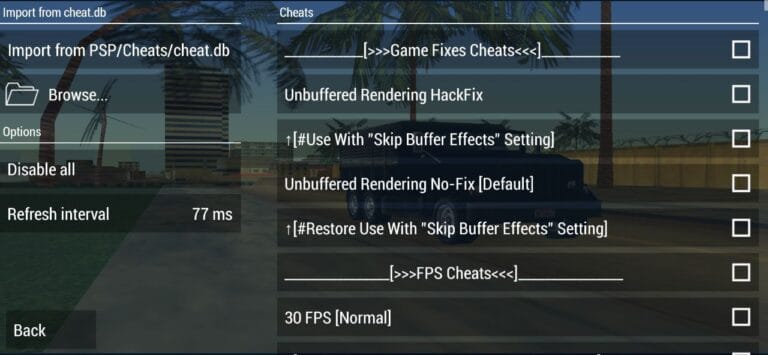
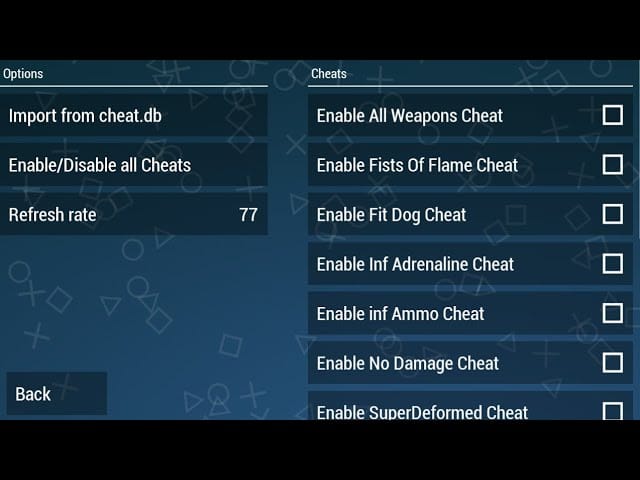
- On the side panel, you’ll now see a new option labeled “Cheats.”
- Click on Cheats, and initially, it might show no cheats listed.
- Don’t worry! Just click on:
“Import fromPSP/Cheats/cheat.db”
This action will scan and load the available cheats for your currently running game. - You’ll now see a list of available cheats for that game. Simply toggle ON the ones you want to use.
That’s it—you’ve officially activated cheats for your PSP game!
FAQs
Q1: Is PPSSPP Gold better for cheats than the free version?
PPSSPP Gold is the same as the free version but without ads. Cheat functionality is identical.
Final Thoughts
Activating cheats in PPSSPP Gold is simple once you know where to place the files. Whether you need infinite health in God of War or max money in GTA: Vice City Stories, cheats make gameplay more fun.