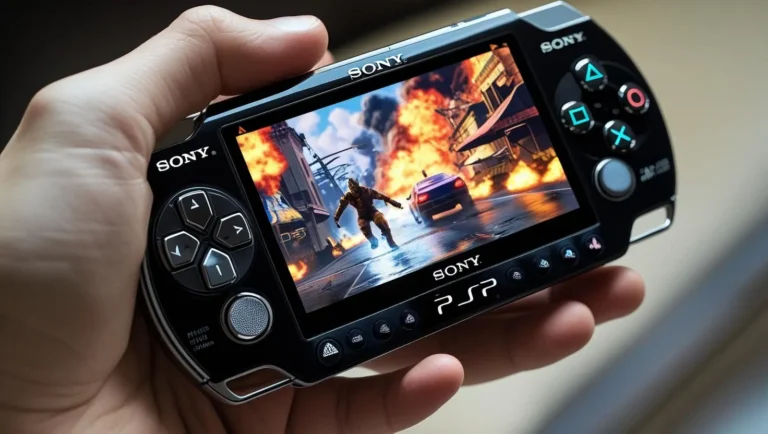
The best way to use cheats in PPSSPP on PC is by enabling them in the emulator’s built-in cheat menu, importing .ini cheat files, or manually entering codes for unlimited health, money, and other game enhancements. Whether you’re playing God of War: Chains of Olympus or GTA: Vice City Stories, cheats can make your gameplay more fun and less frustrating.
PPSSPP is one of the most popular PSP emulators, and its cheat support enables players to modify games just as they would on a real PSP. In this guide, you’ll learn step-by-step methods to activate cheats, where to find working codes, and how to fix common issues, ensuring a smooth experience.
- What Are PPSSPP Cheats and How Do They Work?
- How to Use Cheats in PPSSPP Emulator (with cheat.db File)
- Step 1: Download the PPSSPP Cheat Database (Cwcheat.db) File
- Step 2: Move the cheat.db File to the Correct Folder
- Step 3: Enable Cheats in PPSSPP Emulator Settings
- Step 4: Load a Game and Apply Cheats
- Bonus: Where to Find More PPSSPP Cheat Codes
- 🚫 Important Notes:
- FAQs (Frequently Asked Questions)
What Are PPSSPP Cheats and How Do They Work?
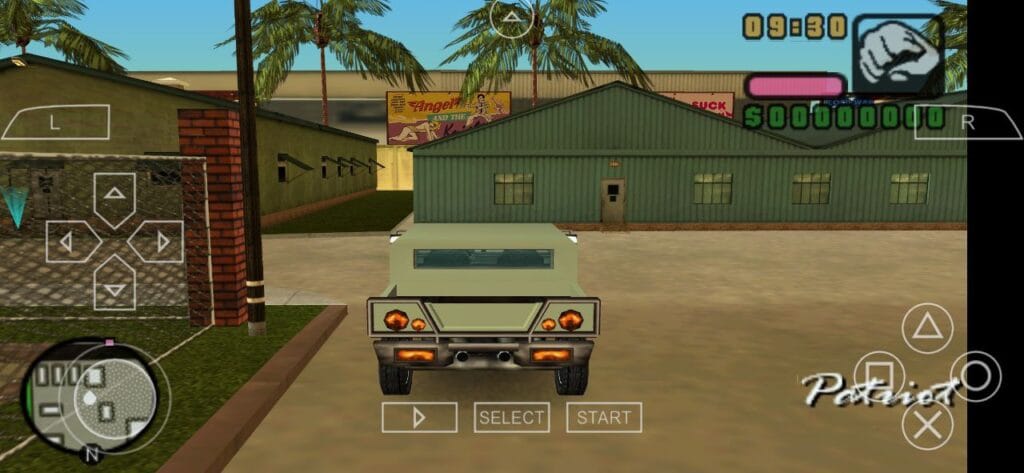
PPSSPP cheats are modified game values that alter gameplay, such as giving infinite ammo, unlocking characters, or maxing out in-game currency. These cheats work by injecting custom code into the game’s memory, similar to how Action Replay or GameShark functions on a real PSP.
The emulator supports .ini cheat files, which contain pre-written codes, and also allows manual entry. Some older games may require CWCheat, a plugin-based system used in original PSP homebrew.
How to Use Cheats in PPSSPP Emulator (with cheat.db File)
Want to unlock unlimited health, money, or ammo in your favorite PSP games?
The PPSSPP emulator supports cheat codes, and the easiest way to use them is with a cheat.DB file containing thousands of ready-to-use cheats for popular PSP titles.
In this guide, you’ll learn how to activate, install, and use cheats in PPSSPP, the best PSP emulator for Android, Windows, and more.
Step 1: Download the PPSSPP Cheat Database (Cwcheat.db) File
Before you can use cheats in PPSSPP, you’ll need the cheat database file—this file holds hundreds of pre-configured cheat codes for a wide range of PSP games.
📥 How to Download the cheat.db File:
- Visit a trusted PSP cheat database site like CWCheats
- Look for a link or section labeled “Download PPSSPP CwCheat”.
- Click to download the
.zipfile that contains thecheat.db. - Extract the ZIP file using WinRAR, 7-Zip, or any file extraction tool.
- Inside, you’ll find a file named
cheat.db.
✅ Note: The
cheat.dbfile works for hundreds of games and eliminates the need to manually add individual cheat codes.
Step 2: Move the cheat.db File to the Correct Folder
To make PPSSPP recognize the cheats, you must place the cheat.db file in the correct directory.
📁 Here’s how to do it:
🔸 On Windows:
- Go to:
C:\Users\[YourUsername]\Documents\PPSSPP\PSP\Cheats\ - If you don’t see a
Cheatsfolder, create one and name it exactly:Cheats - Move the
cheat.dbfile into this folder.
🔸 On Android:
- Navigate to:
/PSP/Cheats/(within internal storage or Android/data location, depending on the version). - Place the
cheat.dbfile inside theCheatsfolder.
🔐 Pro Tip: Keep a backup of the
cheat.dbfile in case of accidental deletion.
Step 3: Enable Cheats in PPSSPP Emulator Settings
To make cheats work, you need to turn them on from the emulator settings.
🛠 How to Enable Cheats:
- Open PPSSPP emulator.
- Go to Settings > System.
- Scroll down until you find “Enable Cheats”.
- ✅ Check the box to enable it.
💡 Tip: It’s smart to create two save files:
Step 4: Load a Game and Apply Cheats
Now it’s time to use the cheats in-game.
🎮 How to Use CwCheats in a PPSSPP Game:
- Launch the game you want to cheat in via PPSSPP.
- Once the game starts, press
ESC(or tap the screen if on mobile) to open the in-game menu. - Click on “Cheats” from the right-hand menu.
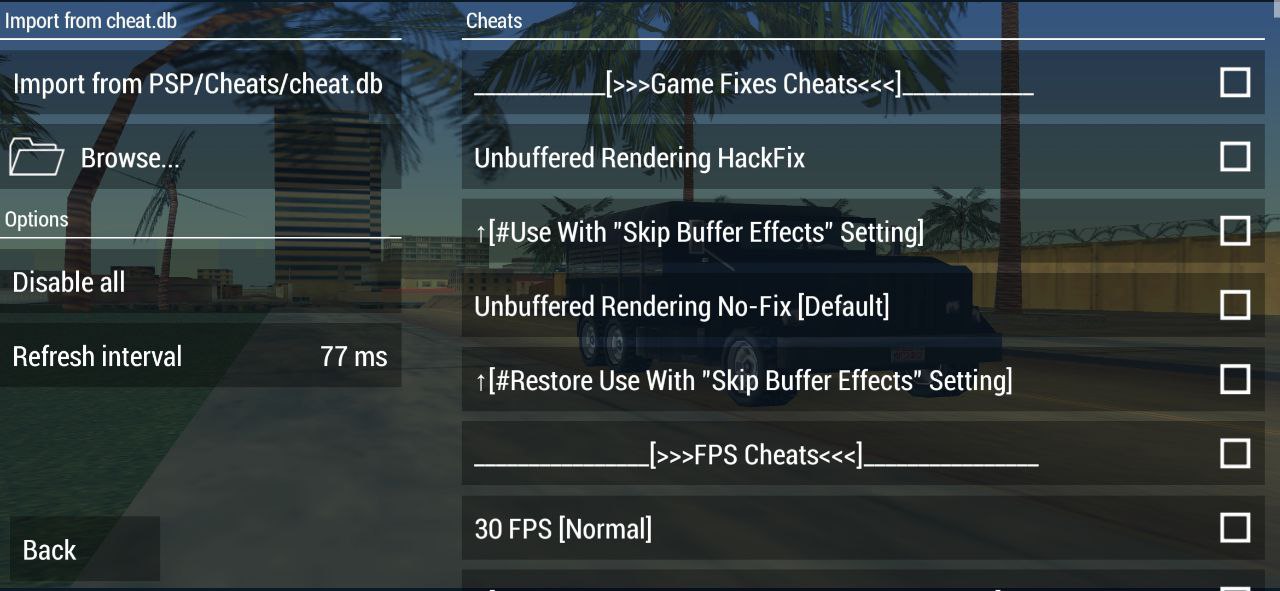
- If no cheats appear yet, click:
Import from PSP/Cheats/cheat.db - Now, you’ll see a list of cheats specific to your game.
- ✅ Toggle the ones you want to activate (turn
_C0to_C1if editing manually).
Bonus: Where to Find More PPSSPP Cheat Codes
If a game isn’t listed in your cheat.dbYou can manually add cheats in CWCheat format from these sites:
🚫 Important Notes:
- Not all cheats work on every game or region (EU/US versions differ).
- Using too many cheats may crash the game.
- Always save your progress manually before applying new cheats.
FAQs (Frequently Asked Questions)
1. How to Use CWCheats in PPSSPP?
To use CWCheats in PPSSPP, follow these steps:
Enable cheats in the emulator:
Go toSettings > Systemand check Enable Cheats.
Download or create a CWCheat file:
You can use a pre-madecheat.dbor manually create.inifiles for individual games.
Place the file in the correct folder:
Go toPSP/Cheats/in your PPSSPP directory and put thecheat.dbthere.
Start the game, open the in-game menu, and select Cheats.
Click “Import from cheat.db” to load available codes, then toggle the ones you want to activate.2. How do I put games on my PPSSPP?
To add games to PPSSPP:
Download PSP game ISOs/CSOs from a legal source.
Save the ISO/CSO files on your device (Windows/Android).
Open the PPSSPP emulator.
Navigate to the folder where your games are stored.
Click the game icon to start playing.
Supported formats:.iso,.cso,.pbp3. How to download cheat db file?
You can download the latest PPSSPP cheat database (Cheat DB) from this trusted source:
👉 https://ppssppapk.com/cwcheats-ppsspp/

![How to Activate Cheats in PPSSPP Gold? [Complete Guide]](https://ppssppapk.com/wp-content/uploads/2025/08/zhFMRn8ADl4-HD-768x432.jpg)